

Product / Match Day
Run the whole day from one screen.
Every court, every match, live. Call the next match with one tap, from the desk or from a phone, and the court's own camera can stream it by itself.
Call a match. Watch the day move.
A working model. Three courts, four matches waiting.Thorpe Bay Tigers v Southend Blue Blazers
Next: Benfleet Town v Rochford Ramblers
Next: Benfleet Town v Rochford Ramblers
Southend Blue Blazers v Hadleigh Hawks waits: Southend Blue Blazers is on Court 1
Call a match to start
- Court 1Thorpe Bay Tigers v Southend Blue BlazersPlaying
- Court 2Nothing onFree
- Court 3Nothing onFree
- Court 1Thorpe Bay Tigers v Southend Blue BlazersLive
- Court 2 Phone waiting
- Court 3 No phone yet
The desk, as it really looks
Three steps, each shown on the real screen.
Every court at a glance
OrganiserEach court is playing, called or free, with the match that is on it. A match with no court yet is listed too.
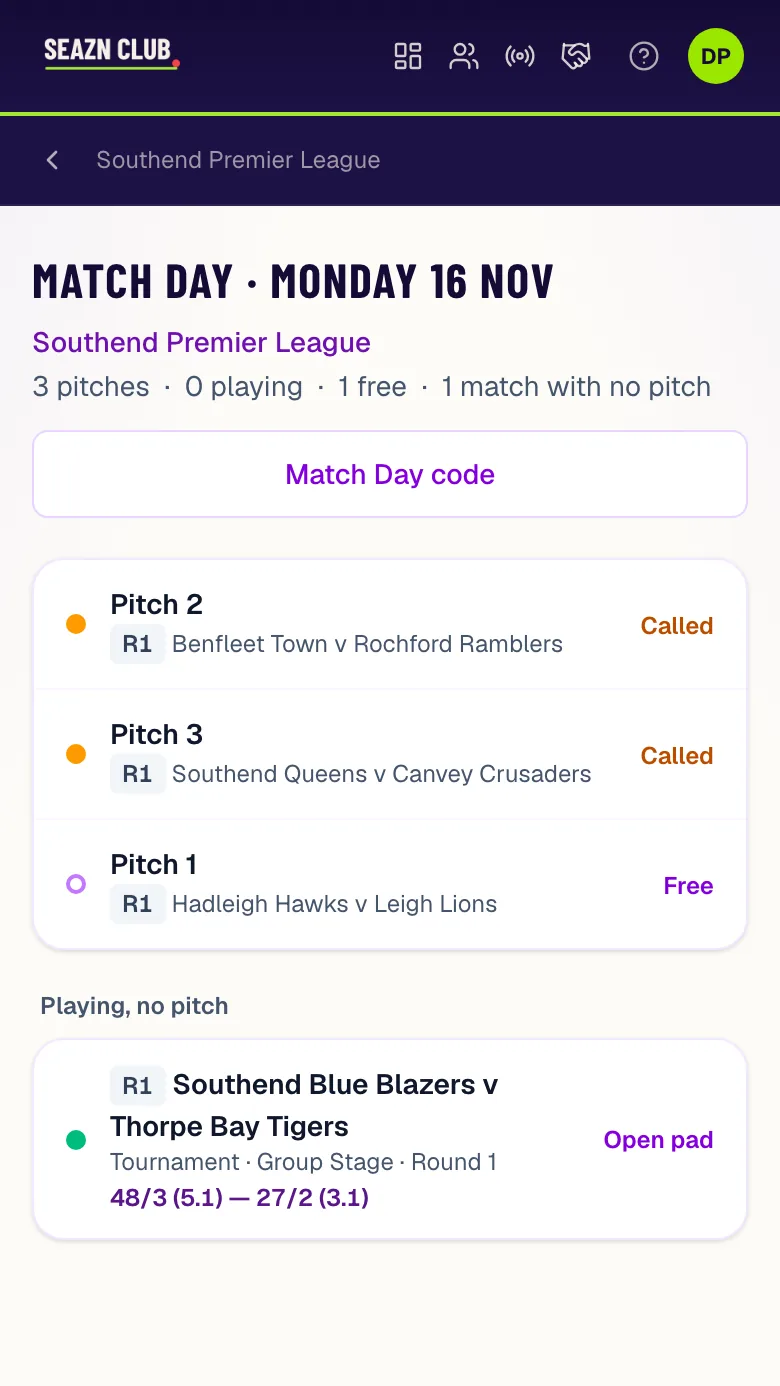
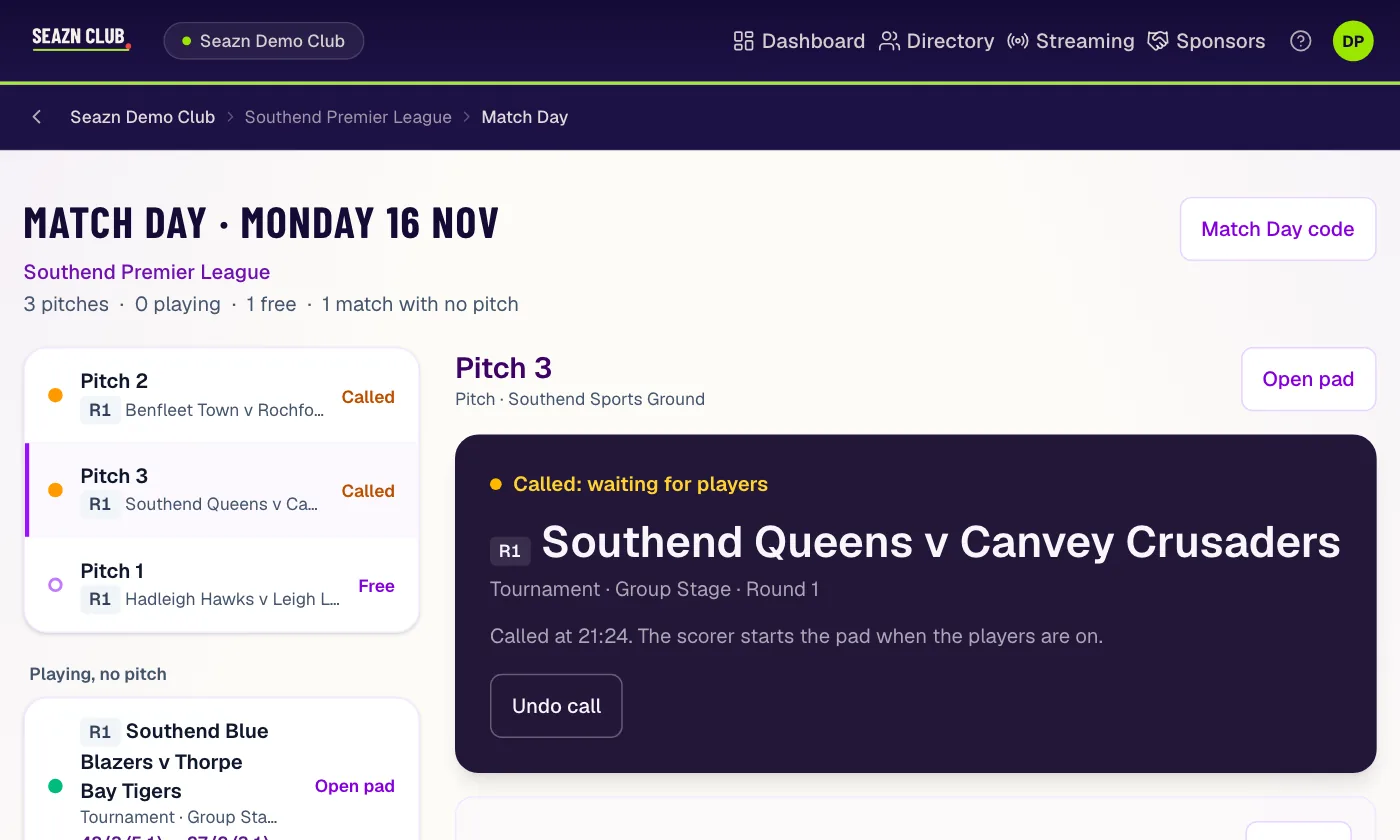
Match Day on a phone: two pitches called, one free.
Call the next match
Organiser or volunteerPick a free court. It lists what is due there and what is waiting elsewhere. A court that is busy takes no call, and a match whose player is on another court is greyed out.
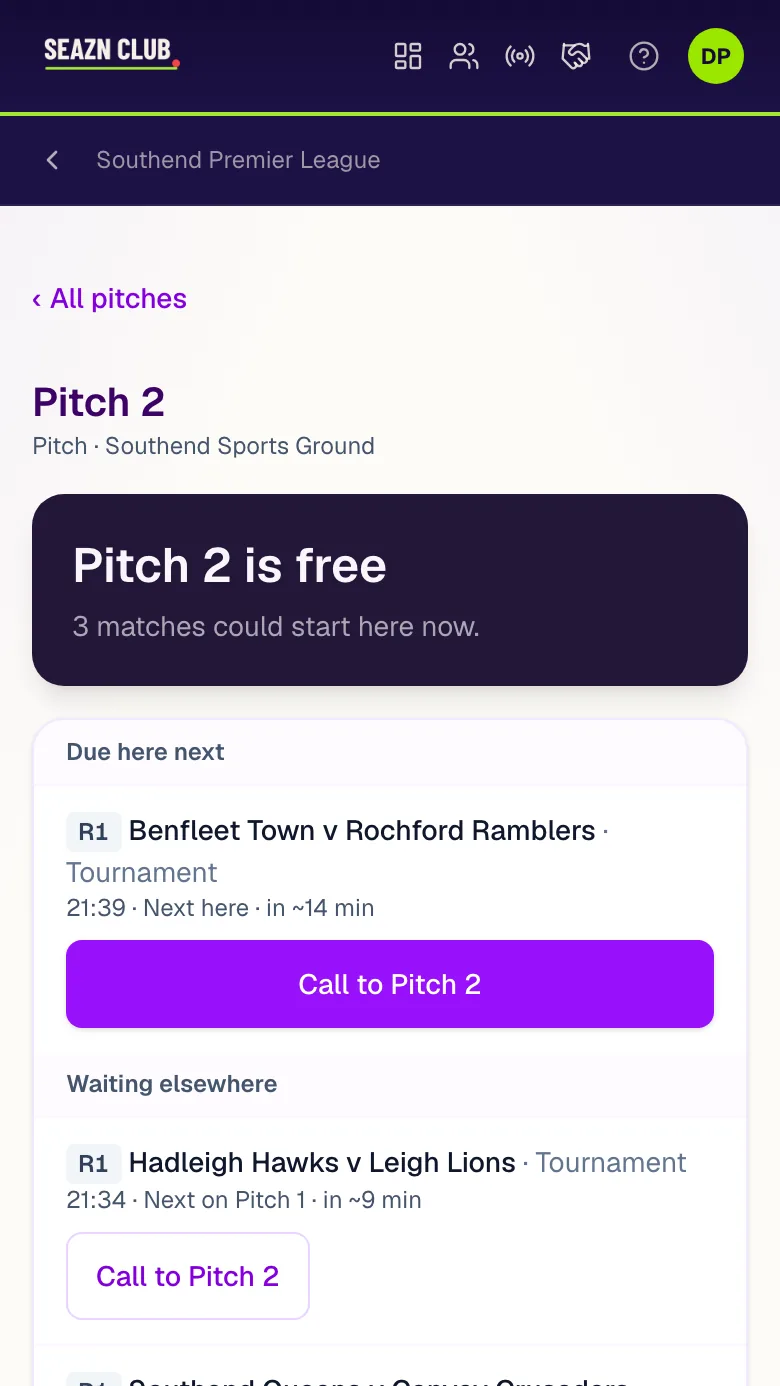
A free pitch and the matches that could start there.
Hand over the scoring
ScorerThe court waits for its players. Make a scoring link and any phone scores that match, no account needed. Called the wrong one? Undo the call.
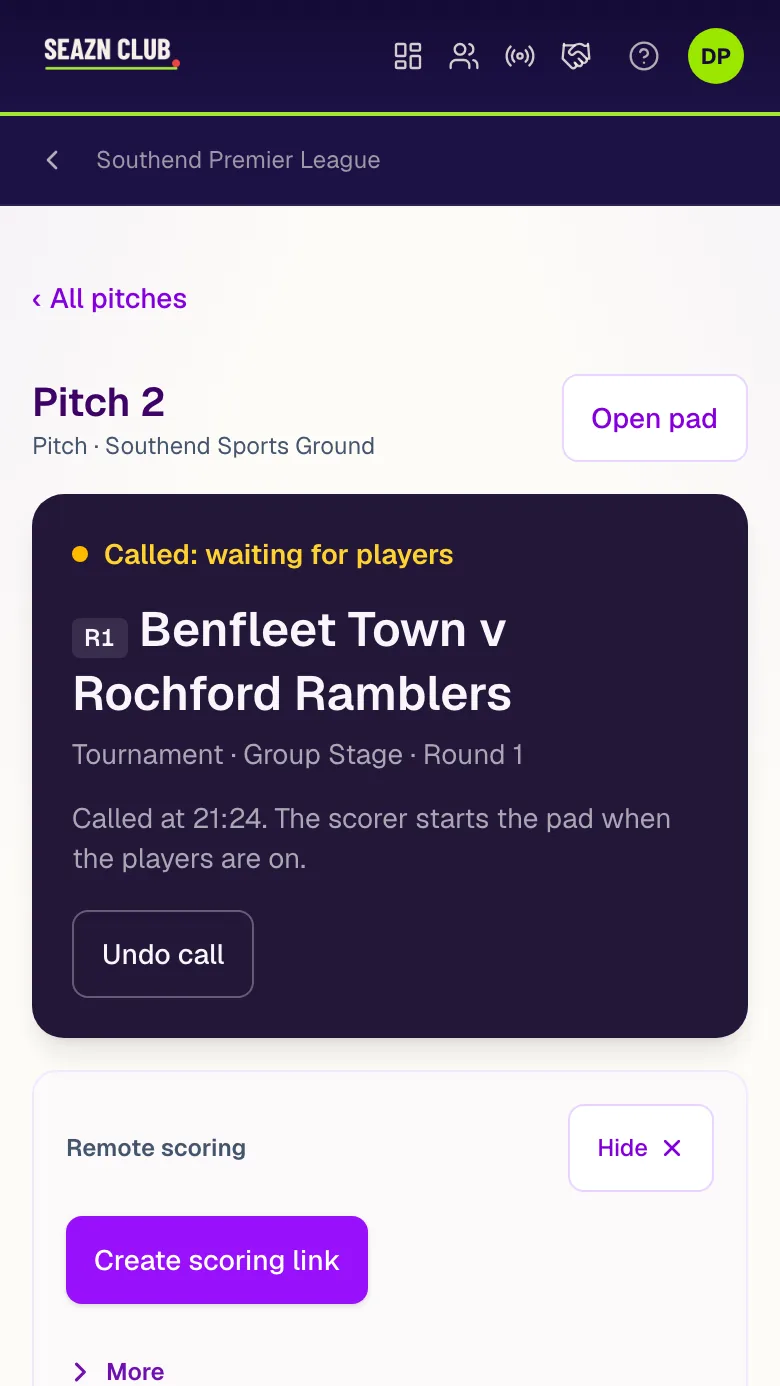
A called pitch, waiting for players, with its scoring link.
One phone per court. Every match streams itself.
Link a court to your YouTube channel for the day and leave a phone on a tripod. Nobody presses record between matches.
- Link the courtPick the court and your YouTube channel on the desk, then scan the court's code in the Seazn app.
- Switch matches onEach match on the court has a Stream switch. A match you leave off is never streamed.
- Play starts, the stream startsEach match goes out as its own video with its own score on screen, and ends a few minutes after the result.
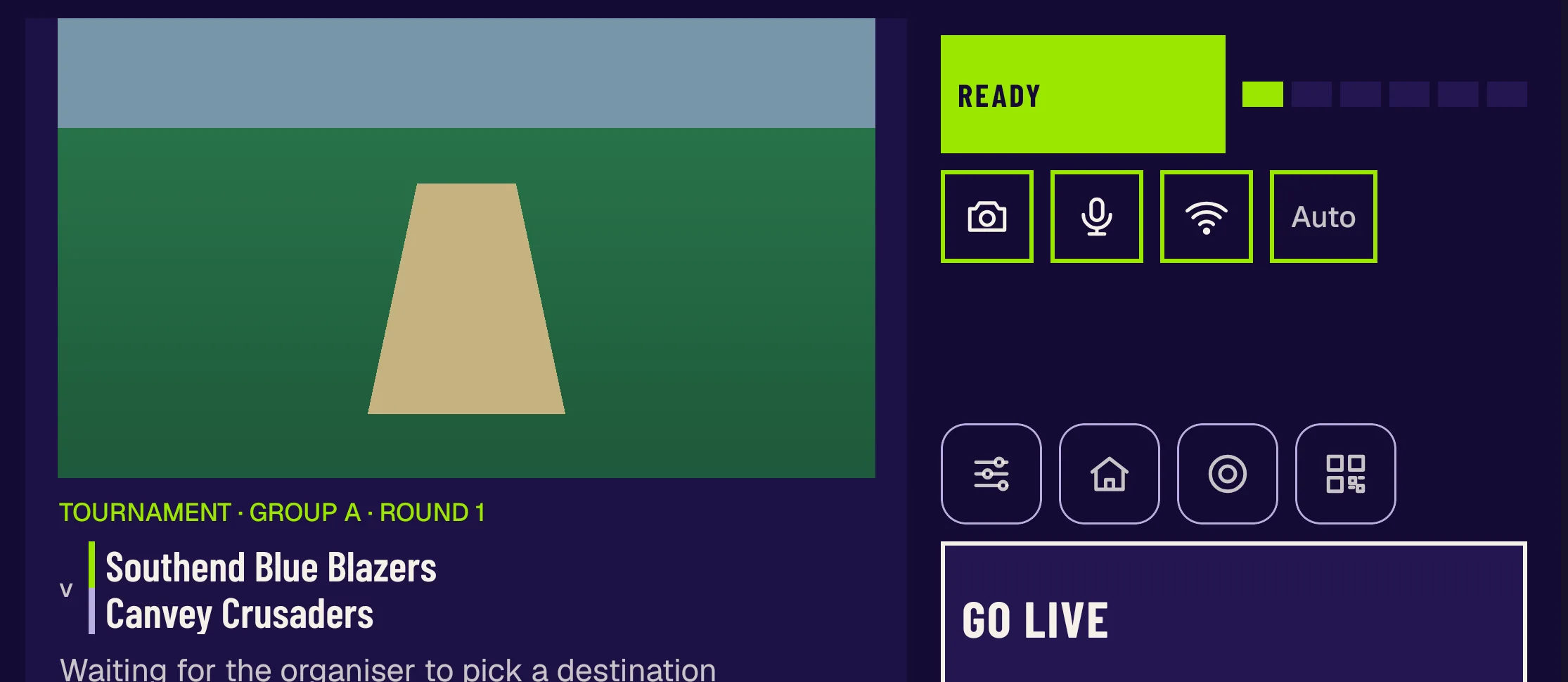
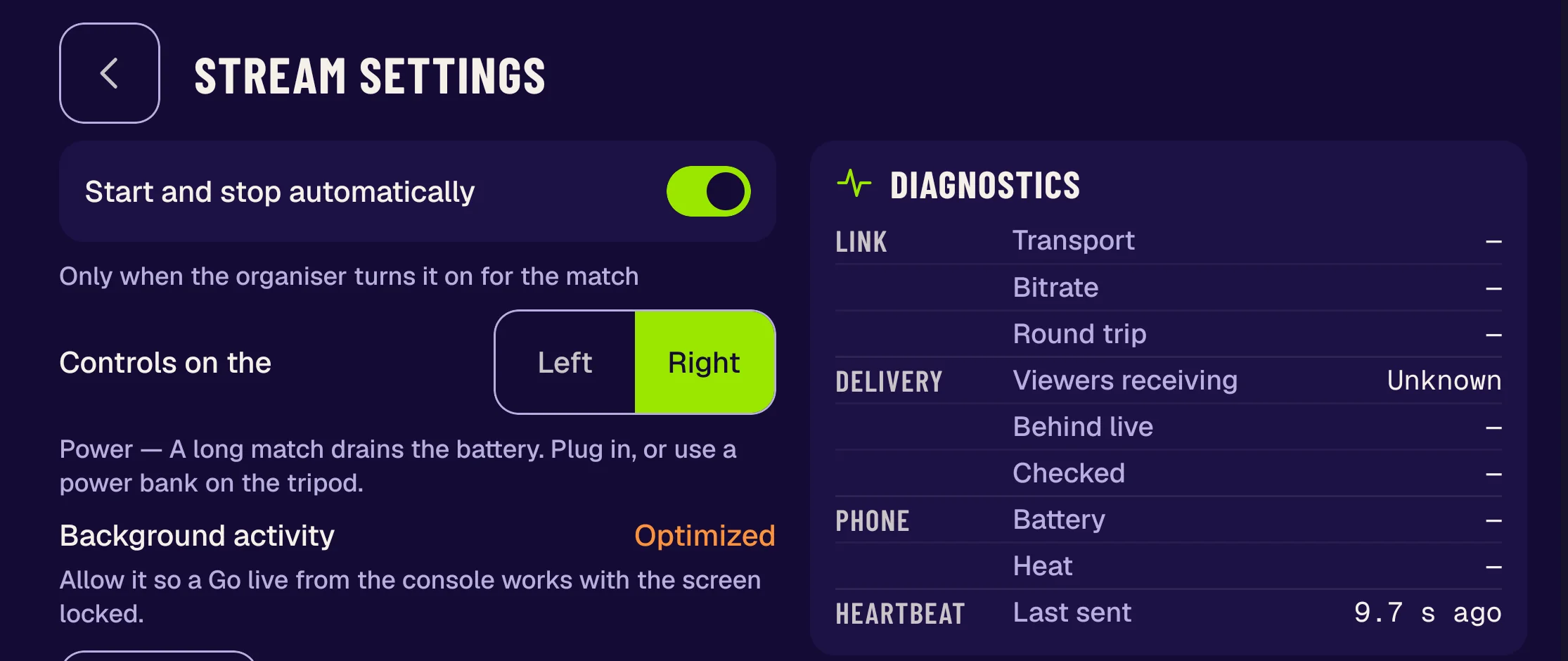
The desk is free. Streams are per match.
One credit streams one match. A court that streams six matches uses six credits, and a match you do not stream costs nothing.
On every plan
- The deskEvery court, live
- Calls to courtWeb and app
- VolunteersOne code, no account
- No signalThe app keeps scoring
Do not take our word for it
Seazn Demo Club runs a match day you can open: pitches, calls and live scores.
Questions people ask first
Do volunteers need an account?
No. They scan one Match Day code in the Seazn app and get the day's matches.
What if two people call the same court?
A court with a match called or playing takes no other call, so the second person is told it is taken. A call can be undone.
Are players told when their match is called?
Not by Seazn. A call moves the match on the desk and on every volunteer's phone; you tell the players where to go. Planned times on the public schedule never move.
Do I have to stream?
No. Match Day works without it. Streaming is per match, when you want it.